For thirty years, a web browser did one job: it fetched a page and drew it on your screen. You did the rest reading, clicking, comparing, filling in forms. In 2026, that assumption is breaking. A new category of browser now ships with an AI agent living inside it that can read the page you’re on and act on it for you.
If you own a website, this matters. The way people search, discover, and reach your site is shifting from “type a query, click a blue link” to “ask a question, get an answer, let the agent handle the rest.” Here’s what’s actually changing and the practical steps to keep your site visible in this new landscape. If you’re planning for AI-powered search, our AI SEO guide explains how websites can optimize for AI search engines and answer engines.
Key takeaways
- AI browsers read your tabs and act for you searching, summarizing, comparing, and clicking, all from the address bar.
- Search is becoming an answer, not a list of links, so users increasingly get what they need without visiting your site.
- Fewer clicks, but higher-value ones AI-referred visitors tend to arrive further along in their decision.
- Being cited by AI now matters as much as ranking and it’s a different game.
- Machine-readable sites win: clean HTML, structured data, fast load, and clear, factual content.
What is an AI browser?
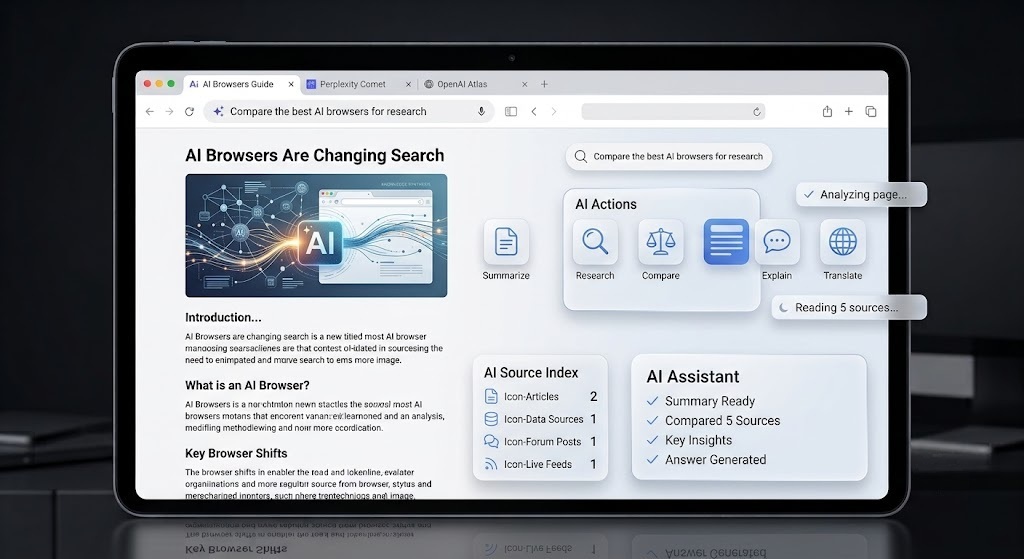
An AI browser is a web browser with a built-in AI assistant that can read the content of your tabs, answer questions about them, and complete multi-step tasks on your behalf searching, summarizing, comparing products, and even clicking buttons inside your logged-in accounts. Instead of sitting in a separate chat window, the AI lives in the address bar and drives the browsing itself.
The difference from a normal browser is simple: a traditional browser renders pages and waits for you to act. An AI browser reads those pages and acts for you.
The AI browsers leading in 2026
The browser became the AI industry’s main battleground faster than anyone expected. In 2025 the assistant lived in a sidebar; in 2026 it drives the tabs. Here are the main players as of mid-2026 feature names and prices in this category move almost weekly, so treat this as a snapshot:
| Browser | Who makes it | Availability | Best for |
|---|---|---|---|
| ChatGPT Atlas | OpenAI | macOS + Windows; Agent mode on paid plans | People who live inside ChatGPT and want deep agent tasks |
| Perplexity Comet | Perplexity | Free across Mac, Windows, iOS, Android | Answer-first research and all-round agentic browsing |
| Gemini in Chrome (Auto Browse) | Inside Chrome; Auto Browse for Google AI Pro | People who won’t leave Chrome or the Google ecosystem | |
| Edge Copilot | Microsoft | Free in Edge | Basic AI assist for Windows users |
| Dia | Atlassian (ex-Arc team) | macOS; Pro tier paid | Polished, AI-native design and SaaS workflows |
| Brave + Leo | Brave | Free | Privacy-first users who want on-device assistance |
The common thread: every one of them is folding the same idea an agent that reads your tabs and can act on them into the browsing experience. Google’s broader AI strategy became much clearer during Google I/O 2026, where the company introduced AI Mode; OpenAI has signaled it sees Atlas as one surface of a larger agent rather than a standalone app. The real contest isn’t “does it have AI” anymore. It’s “does it do the task, and what does that cost you in money and privacy.”
How AI browsers change search
For most of search history, the goal was to rank on page one and earn the click. AI browsers quietly rewrite that deal in three ways.
Search becomes an answer, not a list
When the browser can read multiple sources and synthesize a response in the address bar, the user often never sees a page of ten blue links. Industry estimates already put zero-click searches queries that end without a click to any website at roughly 69% of all searches. AI browsers push that higher, because the answer arrives before the user ever decides to visit a site.
Search becomes an action
An AI browser doesn’t just tell you the three best options; it can open the tabs, compare them, and start the checkout. The browser is becoming an “action layer” on top of the web where people read, compare, book, and buy with the human stepping in only to approve the final step.
The visits you do get are more valuable
Fewer clicks isn’t the whole story. AI-referred visitors tend to arrive further along in their decision they’ve already been pre-qualified by the assistant. Similarweb reported that referral visits from AI platforms grew around 357% year-over-year as of mid-2025, and several studies suggest AI-referred visitors convert at notably higher rates than traditional organic traffic. The traffic mix is changing shape, not simply shrinking.
There’s a crucial implication here. Analysis from Surfer SEO found that roughly 68% of the sources cited in Google’s AI Mode do not rank in Google’s top 10 for the same query. In other words, being chosen and cited by an AI is now a different game from ranking first and your website can win one without the other.
What AI browsers mean for your website
Three practical consequences for site owners:
- Your pageviews may fall while your influence rises. If an AI browser summarizes your page in its answer, the user got your information without triggering a visit. Your content still shaped the outcome it just won’t always appear in your traffic reports. Plan to measure brand mentions and AI citations, not only sessions.
- Your analytics will get noisier. Agentic (bot and AI-agent) traffic reportedly crossed 50% of all internet traffic for the first time in June 2026, according to Cloudflare. Some of that is agents acting for real customers. Segment automated traffic from human traffic so your reporting stays honest.
- Your site is now read by machines as much as people. AI agents parse clean, structured text far more reliably than they render JavaScript-heavy layouts. A beautiful page that only assembles its content in the browser can be effectively invisible to an agent. What the machine can read is what the machine can recommend.
How to make your website ready for AI browsers
The good news: preparing for AI browsers overlaps heavily with simply building a good, fast, well-structured website. Here’s a practical checklist:
- Serve real HTML, not just JavaScript. Make sure key content is server-rendered and present in the page source, so an agent can read it without executing scripts. These technical improvements are also part of a strong technical SEO strategy, especially as search engines and AI agents increasingly rely on structured, machine-readable content.
- Add structured data (schema). Use Article, FAQ Page, Product, and Organization schema so machines can classify and quote your content accurately.
- Put the answer first. Lead each section with a direct, self-contained answer (roughly 40–55 words) under a clear, question-based heading. Extractable content gets cited.
- Write with fact density. Publishing clear, trustworthy information consistently is a core part of an effective content marketing strategy, helping both users and AI systems understand your expertise.
- Keep your business facts consistent everywhere. Your name, services, and details should match across your site, Google Business Profile, and reputable third-party sources — agents cross-check.
- Don’t block AI crawlers by default. Check that your CDN, firewall, or robots settings aren’t quietly blocking the crawlers these tools rely on.
- Be fast. Aim for a Largest Contentful Paint under 2.5 seconds. Speed helps humans, agents, and rankings alike.
- Strengthen reviews and product data. For local and eCommerce sites especially, the details an agent reads specs, prices, availability, ratings increasingly decide whether your business makes the shortlist.
An llms.txt file (a plain-text summary telling agents what your site contains) is an optional, low-cost extra treat it as cheap insurance rather than a magic fix.
The security catch website owners should know
One warning applies across every AI browser: the agent acts inside the user’s logged-in sessions, and prompt-injection attacks where a malicious instruction hidden on a web page hijacks the agent remain a real, unsolved risk. This mostly affects users, but it matters to you as a site owner too: keep your own site clean and secure, because a compromised page can be weaponized against the very agents visiting it. Advise your team to keep sensitive accounts out of fully autonomous agent runs.
The bottom line
AI browsers move the moment of decision off your page and into the address bar. That sounds threatening, but it rewards the same fundamentals good websites have always needed clear structure, fast performance, trustworthy content, and accurate data now readable by machines as well as people. The businesses that adapt early won’t just survive the shift; they’ll be the ones the agents recommend.
Have practical insights or real-world experience with AI search, SEO, or emerging web technologies? We also welcome expert contributors who want to share valuable perspectives through our technology guest posting guidelines.
Frequently Asked Questions
What is an AI browser?
An AI browser is a web browser with a built-in AI agent that can read your open tabs, answer questions about them, and complete multi-step tasks searching, summarizing, comparing, and clicking on your behalf, directly from the address bar.
Which AI browsers are most popular in 2026?
The leading options are ChatGPT Atlas (OpenAI), Perplexity Comet (free across all platforms), and Gemini in Chrome (Google’s Auto Browse), with Edge Copilot, Dia, and privacy-focused Brave with Leo as notable alternatives.
Do AI browsers hurt website traffic?
They can reduce raw pageviews, because users often get answers without clicking through. But AI-referred visitors tend to convert at higher rates, and being cited in AI answers builds influence even when it doesn’t register as a visit.
Will AI agents visit my website instead of humans?
Increasingly, yes agents now account for a large share of web traffic. That’s why your content needs to be machine-readable: clean HTML, structured data, and clear, factual statements an agent can extract and recommend.
How do I prepare my website for AI browsers?
Serve real server-rendered HTML, add schema markup, lead sections with direct answers, keep business facts consistent across the web, avoid blocking AI crawlers, and keep your site fast.
Are AI browsers safe?
They’re useful but carry real risks. Because the agent acts inside your logged-in sessions, prompt-injection attacks are an unsolved concern. Keep sensitive accounts out of fully autonomous tasks.